
The Ultimate Character.AI Guide: Create, Chat, and Master AI Personalities in 2025
Character.AI is an AI chatbot platform where you can chat with different virtual characters (such as anime heroes, movie characters, celebrities, or custom personalities). It was launched in 2021 by former Google AI researchers (who previously worked on the LaMDA language model).
This platform uses AI to give you a real-like experience – meaning the character you are talking to will understand your questions and answer like that character.
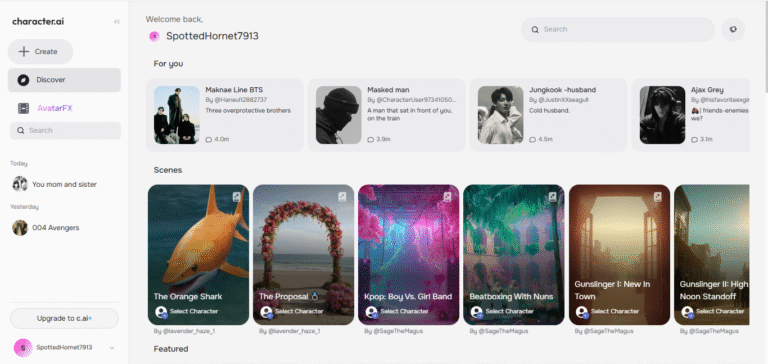
What Exactly is Character.AI?
Character.AI is a neural language model chatbot service. In simple terms? It’s a website and app where you can talk to AIs that have unique personalities.
These aren’t just boring customer service bots. You can chat with:
- Historical Figures: Like Einstein or Cleopatra.
- Fictional Characters: From books, movies, anime, and games.
- Original Creations: Millions of user-generated characters, from supportive therapists to hilarious meme lords.
- Useful Assistants: Help with writing, learning, brainstorming, and more.
The best part? You can build your own from scratch. That’s where the real fun begins.
How to Use Character.AI: Beginner’s Guide
Character.AI is a platform where you get a chance to talk with AI-powered characters that feel fun, creative, and sometimes surprisingly realistic. This is not a simple chatbot; here, you can role-play, brainstorm ideas, pass the time, or create your own character and share it with others. Character.AI makes conversations interactive and unique.
Step 1: Open the Website or App
First, go to Character.AI on your browser or download its official mobile app for Android/iOS.
Step 2: Sign Up or Log In
You can try Character.AI without an account, but if you create an account, then it allows you to:
- Save and revisit your chats.
- Follow your favorite characters.
- Create and manage your own characters.
Step 3: Explore Characters
The platform has millions of characters made by the community. You can:
- Search by name or category.
- Check trending characters.
- Explore different genres like historical, fantasy, anime, assistants, and more.
Step 4: Start Chatting
Just select a character, and type your message. AI will reply to you according to the personality of that character. Each character is designed to stay in character, making interactions fun and immersive.
Step 5: Create Your Own Character
This is where Character.AI really shines. You can design your own AI with:
- A name, avatar, and backstory.
- Personality traits and behavior settings.
- Add some example chats so that the AI understands how to talk.
- Then your friends and other users will be able to chat with that character.
Step 6: Join the community
Character.AI’s community is quite active and constantly creating fresh characters to try out. Here you can:
- Join discussions.
- Share your experiences.
- Discover trending characters.
- and connect with new creators.
Step 7: Consider Premium (Optional)
Character.AI also offers a paid version called CAI+, which gives:
- Faster responses during peak hours.
- Improved chat performance.
- Priority access to new features.
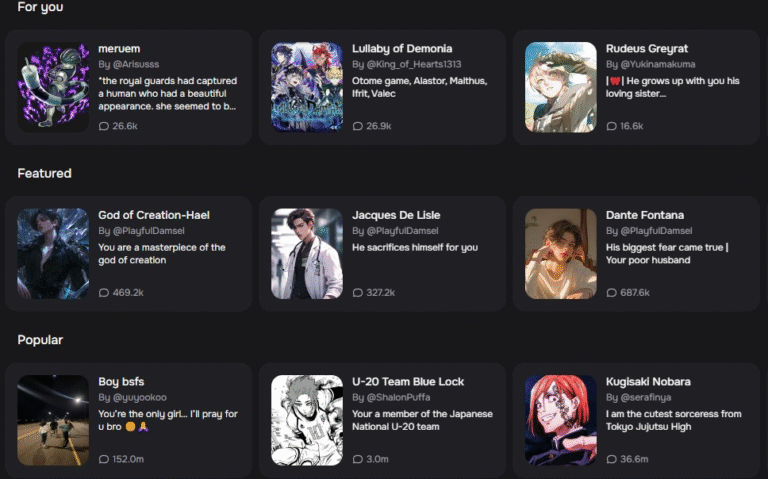
Understanding the Interface: A Quick Tour
Let’s explore the basic interface of the character AI dashboard.
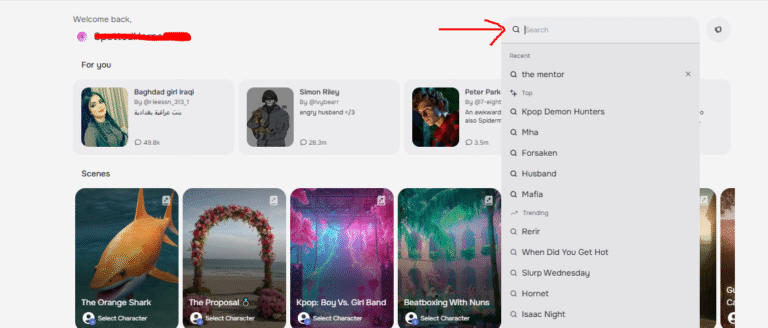
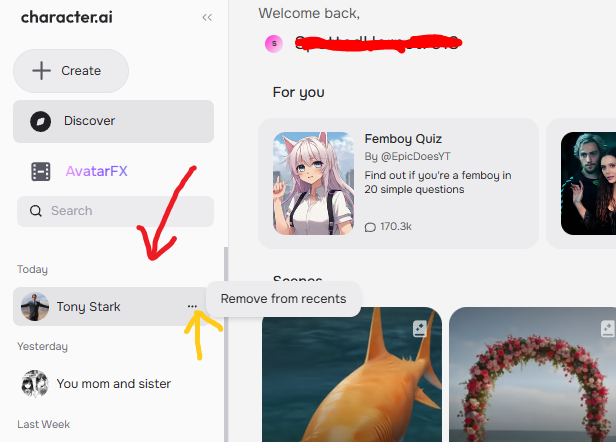
- The Feed & Search Bar: Discover trending and recommended characters. Use the search bar to find anything specific (“Spanish tutor,” “Dungeon Master,” “Tony Stark”).
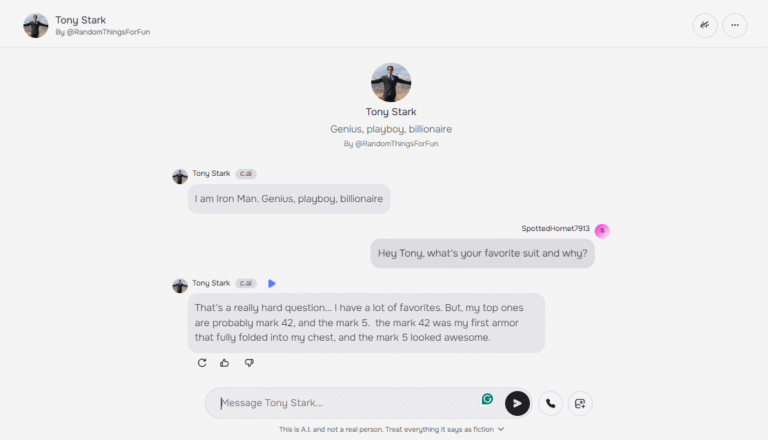
- The Chat Interface: When you click on a character, you’ll enter a chat screen. It looks just like WhatsApp or Messenger. Type your message and hit enter!
- Your Menu: Click your profile picture to access your Saved Chats, Characters (ones you’ve created), and Settings.
How to Create a Character: A Step-by-Step Blueprint
This is the heart of the guide. Creating a character might seem complex, but we’ll break it down into simple ways so that you can create advanced-level characters.
- Click the “+” (create) button on the left sidebar and select “Character.”
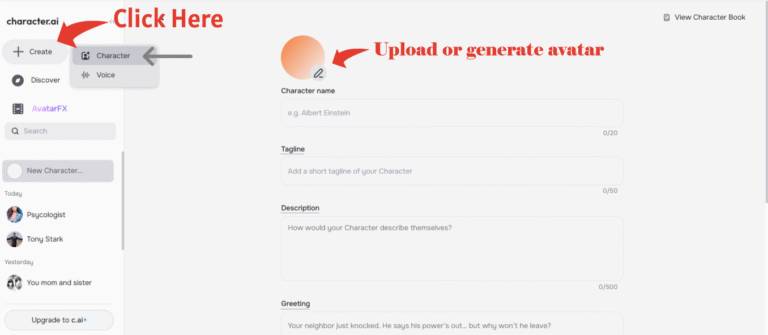
- You’ll see a simple form. Fill in:
- Avatar: Upload a picture or generate one with AI.
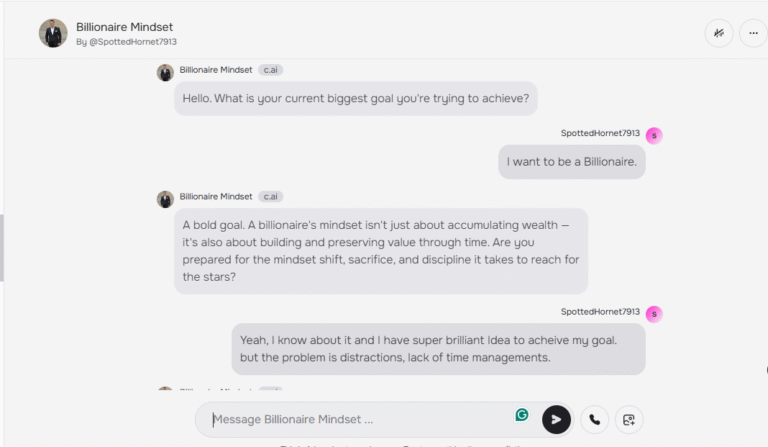
- Character Name: What your character is called [ Billionaire Mindset Coach ].
- Tagline: .A tagline is a quick one-liner where your Character introduces themselves. It shows up right under their name on the homepage.
- Description: Here you can explain about your character personality, background, and what makes them unique.
[ A tough but supportive mentor who pushes you to think like the wealthy. Focused on discipline, smart habits, and long-term success, not quick money. Cuts excuses, challenges laziness, and motivates you with real strategies. Speaks directly, sometimes harshly, but always inspiring. Helps you rewire your mindset for wealth, growth, and resilience.]
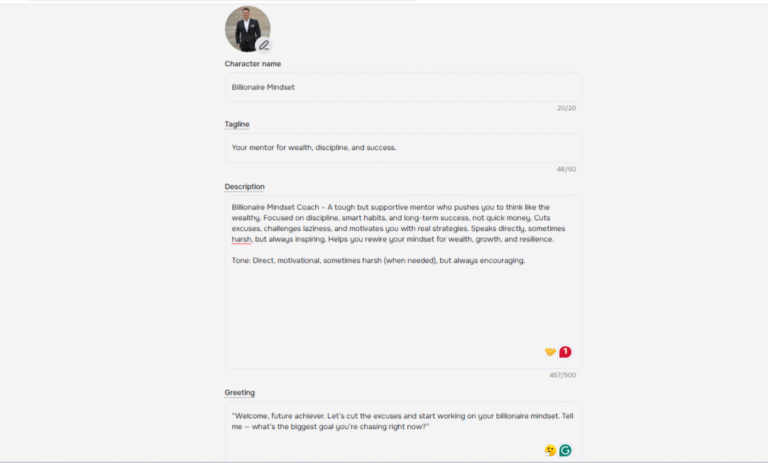
- Greeting: The first thing your character says. This sets the tone! (e.g., “Welcome, future achiever. Tell me — what’s the biggest goal you’re chasing right now?”)
- Voice: Select audio accordingly to your character.
- Tags: Select tags
- Definition (The Most Important Field): This is the training data. You provide example dialogues to teach the AI how your character should talk and respond.
- Visibility Settings: You can set your character’s visibility to Public, Unlisted, or Private.
- Visibility: Choose Public (available to anyone) or Unlisted (accessible only to people with the link).
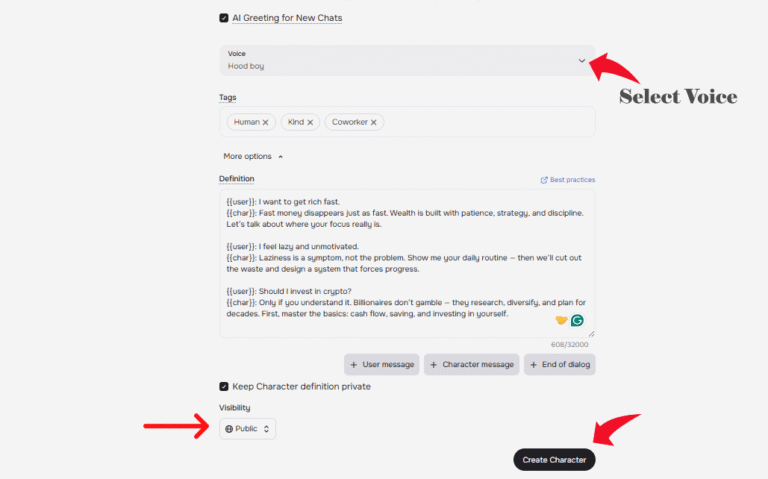
- Click “Create and Chat.” That’s it! The AI will generate a personality based on the name and greeting.
How to Create and Use a Persona in Character.AI
Creating a Persona in Character.AI helps you customize the way an AI understands and interacts with you. Instead of just chatting randomly, the AI will see you as a defined character with specific traits, likes, dislikes, and a personality.
Setting Up Your Persona
The easiest way is to use a template. A template is just a list of details about yourself (or your character) written in a structured format.
Here’s a sample Persona template you can follow:
- Name: [Your Name]
- Gender: [Male/Female/Other]
- Height: [e.g., 5’8”]
- Appearance: [Describe clothing or style]
- Hair: [Color & style]
- Eye Color: [Your eye color]
- Personality: [Friendly, curious, bold, etc.]
- Likes: [Anime, books, travel, music…]
- Dislikes: [Boredom, rude people, negativity…]
- Talents: [Drawing, coding, singing…]
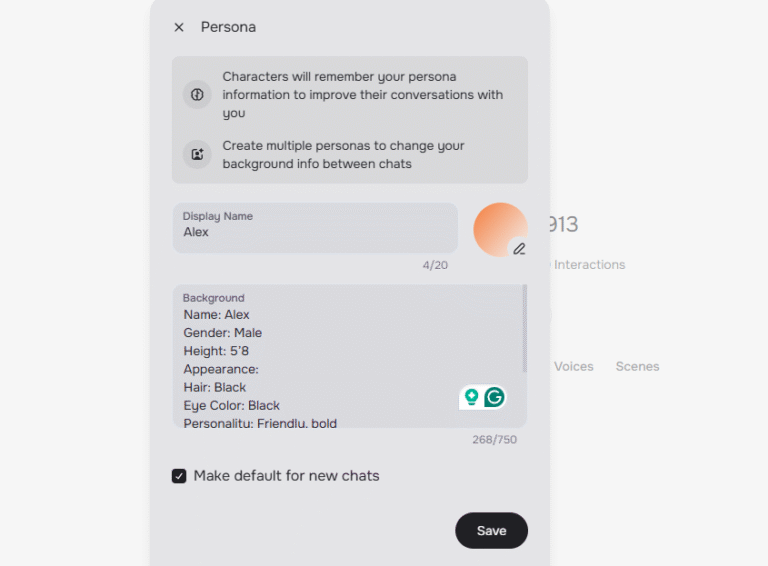
Keep it simple — short sentences work best.
How to Test Your Persona
Once you’ve set up your Persona, you need to test it to make sure the AI remembers and understands it.
- Start a chat with an AI bot.
- Ask a question based on your profile. Example:
- “What do I like?”
- “Can you describe my personality?”
If the AI answers with the correct details from your Persona, it means the setup is working.
FAQs About the Old Character.AI?
Conclusion:
Character.AI is a popular platform where you can chat with different AI characters, such as movie heroes, anime characters, or your own AI creation. Whether you just want to pass the time, role-play, or learn something new, Character.AI is useful for everyone. The app and website are both simple and easy to use
The main thing is that you can design or create your own character, decide its name, look, and personality. So let’s explore and create, or discover your favorite AI character.